E-invoices
Create and send
Invoices and credit notes in Peppol BIS Billing 3.0
Peppol ID
Registered for you
So customers can send you Peppol orders
Orders
Receive Peppol orders
From buyers who order electronically
Records
Customers and products
Saved for the next invoice
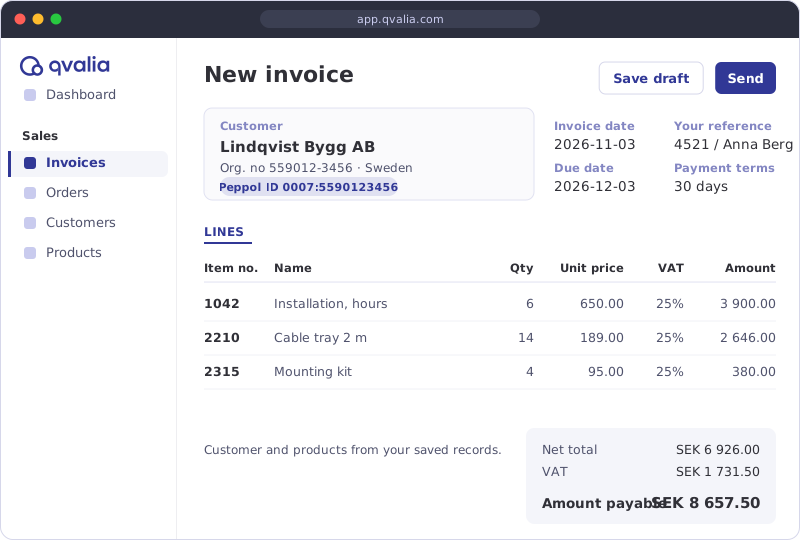
Create and send e-invoices
Choose a saved customer, add products from your product register and press Send. Qvalia checks the invoice against the Peppol rules before it is delivered to the customer’s Peppol address.
- Invoices and credit notes in Peppol BIS Billing 3.0
- Copy and resend earlier invoices
- PDF by email for customers who cannot receive e-invoices
- Notifications included in every plan
Receive Peppol orders
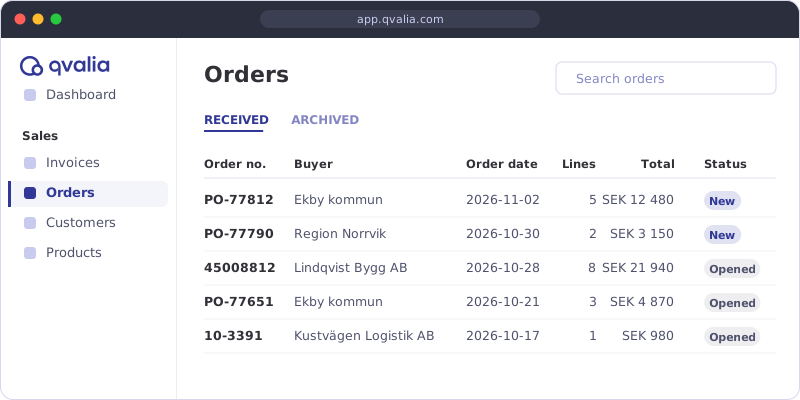
Buyers who order electronically, many of them in the public sector, send Peppol orders to your Peppol ID. The orders arrive in the web app with buyer, order lines and references, so you have the details at hand when you deliver and invoice.
- Peppol BIS Order Only, Ordering and Advanced Ordering
- Order lines, references and buyer details in one view
Your Peppol ID and saved records
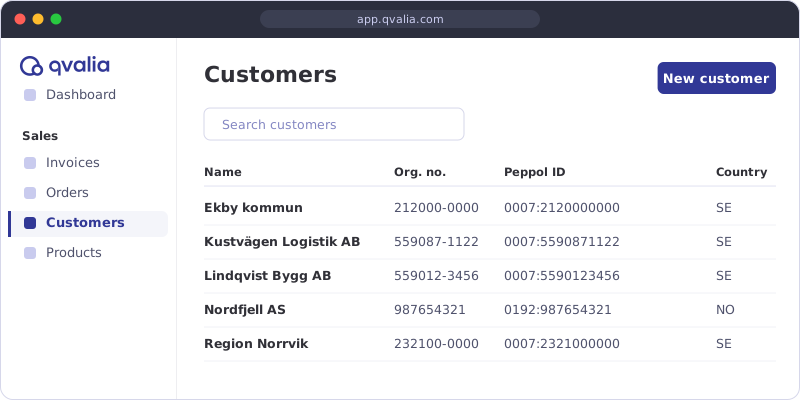
When you create your account, Qvalia registers a Peppol ID for your company, so customers can send you orders over the network. Customers and products you save are ready to use on your next invoice.
- Peppol ID registered by Qvalia when you sign up
- Customer register
- Product register with prices and VAT
- A dashboard for your account
Get started
You do not need an integration or your own Peppol access point. Everything runs in the web app.
- Choose a plan and verify your email address.
- Fill in your company and contact details.
- Open the confirmation email. It can take up to 24 hours to arrive because of our identity checks (KYC), so check your spam folder too.
- Click the link, set a password and register your Peppol ID.
- Add your first customer and send your first e-invoice.
When you need more
Move to a larger plan as your volumes and needs grow.
More features
Connect Medium
API access with a sandbox, catalogues, order responses, despatch advice and order-to-invoice.
Larger volumes
Connect Large and Enterprise
Receive e-invoices, archive, ERP connectors and logs in Large. Connect 1X–3X add higher volumes, and Enterprise covers more channels and formats by agreement.
Software provider? Read about the partner models for embedding Peppol in your own product.
Send e-invoices at no cost to our customers
These organizations have an agreement with Qvalia so their suppliers can invoice them at no cost. Open your customer’s page for its Peppol ID, invoice requirements and how to sign up.
Getting started FAQ
What do I need to send an e-invoice over Peppol?
A Peppol service such as Qvalia and your customer’s Peppol ID. You create the invoice in the web app, and Qvalia checks it and delivers it to your customer’s Peppol access point.
Do I get a Peppol ID?
Yes. Qvalia registers a Peppol ID for your company when you set up your account, so customers can also send you orders over Peppol. Look up existing registrations in the Peppol ID search.
What if my customer cannot receive e-invoices?
Send the invoice as a PDF by email instead. PDF delivery is included in every Connect plan.
Can I receive e-invoices from my suppliers?
Yes, from Connect Large. Connect Small covers sending invoices and credit notes and receiving Peppol orders. See plans and pricing.
Is there an API?
Yes, from Connect Medium, with a sandbox for testing. Read more about the APIs and developer tools.
Can I invoice one of Qvalia’s customers at no cost?
Yes, if the organization has an agreement with Qvalia. Find it in the list on this page and follow the instructions on its page.