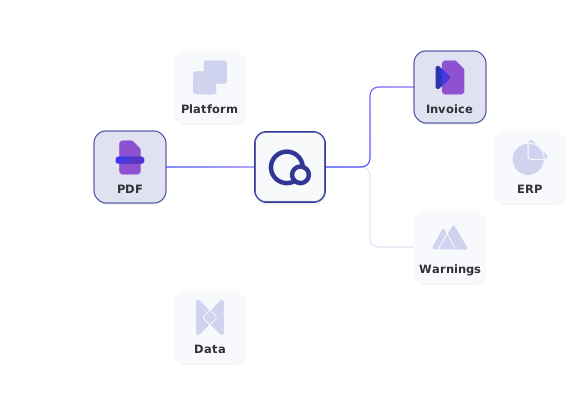
Input
PDF or XML invoice
One file per request, Base64-encoded
Output
Structured invoice data
Header data and line items
Processing
Asynchronous
Poll with a polling ID, at most every 30 seconds
Access
Sandbox and production
Billed separately, enabled by Qvalia support
Capture an invoice in two requests
Base64-encode the file, send it with enrichmentTypes set to capture and collect the result with the polling ID from the response.
- One invoice file per request, PDF or XML
- Include the file extension in fileName
- Poll no more than once every 30 seconds
- Get only the capture result with the enrichmentType path
● ● ●
Sandbox request: capture an invoice
# capture-request.json
{
  "fileName": "invoice.pdf",
  "fileContent": "<Base64-encoded PDF>",
  "enrichmentTypes": "capture"
}

curl -X POST \
"https://api-test.qvalia.com/enrichment/$ACCOUNT_REG_NO/invoice" \
-H "Authorization: $QVALIA_API_KEY" \
-H "Content-Type: application/json" \
-d @capture-request.json

# Collect the result with the pollingId
curl "https://api-test.qvalia.com/enrichment/$ACCOUNT_REG_NO/$POLLING_ID/capture" \
-H "Authorization: $QVALIA_API_KEY"
Try capture on your own PDF invoice
Upload a PDF invoice of up to 4.5 MB in Qvalia’s free capture test and see the structured data it returns. No integration is needed, and a sample report is available if you do not have a file at hand.
How invoice capture works
Capture is asynchronous. You upload the file, Qvalia processes it and you collect the result when it is ready.

Upload
Send one PDF or XML invoice per request, Base64-encoded, to the invoice endpoint.

Capture
Qvalia reads the document and extracts header data and line items into structured invoice data.

Poll
Use the polling ID. A 202 means processing continues, and a 200 returns the result.

Review
Check the errors and warnings returned for each document before the data moves on in your process.
Capture endpoints
All paths are relative to the sandbox or production base URL and scoped to your account registration number.
| Request | Endpoint | Returns |
| Upload an invoice | POST /enrichment/{accountRegNo}/invoice | Polling ID |
| Get all results | GET /enrichment/{accountRegNo}/{pollingId} | Status, or results per type |
| Get the capture result | GET /enrichment/{accountRegNo}/{pollingId}/capture | Capture result |
Sandbox: api-test.qvalia.com. Production: api.qvalia.com. Capture is part of the Enrichment API, which is billed separately and enabled by Qvalia support.
What to plan for in an integration
Capture runs outside your request cycle. Plan for these points before you go live.
- Asynchronous processing
Store the polling ID with the document and poll no more than once every 30 seconds. - Errors and warnings
Route documents with errors to manual review and keep warnings visible to the user. - Rate limits
Limits count per account across all Qvalia APIs. On a 429, wait for the Retry-After period. - Separate environments
Test against api-test.qvalia.com before you switch to api.qvalia.com. - Expired polling IDs
A 404 means the polling ID is unknown or expired. Upload the document again if the result was never collected.
Choose your starting point
In the web application
Invoice OCR
Capture PDF invoices in the Qvalia web application without building an integration.
Posting and classification
Enrichment API
Posting suggestions and UNSPSC classification. Capture is the support step that prepares PDF invoices for both.
Getting started
API quick-start
Set up API access and send your first request, step by step.


Invoice OCR API FAQ
What is the Invoice OCR API?
A REST API that turns PDF invoices into structured invoice data. It runs as the capture type of the Enrichment API.
Which files can I send?
One PDF or XML invoice per request, Base64-encoded in the fileContent field. Include the file extension in fileName.
What does the API return?
Structured invoice data with header data and line items, together with errors and warnings for the document.
How long does capture take?
Processing is asynchronous, so the time varies per document. Poll the result endpoint no more than once every 30 seconds until you get a 200.
How is the OCR API different from Invoice OCR?
Invoice OCR is capture in the Qvalia web application. The OCR API gives your own system capture through a REST API.
Is there a sandbox?
Yes. Use api-test.qvalia.com for testing and api.qvalia.com in production.
Is the OCR API included in other Qvalia APIs?
No. Capture is part of the Enrichment API, which is billed separately. Qvalia support enables it for your account.


