
Approve invoices the moment they arrive
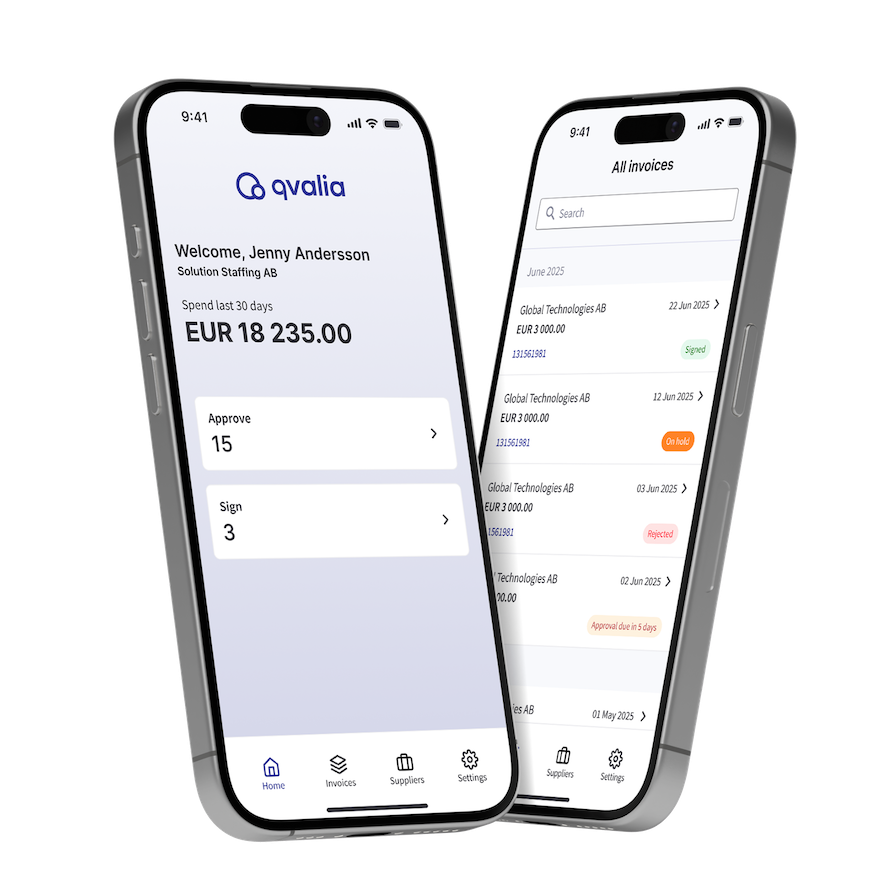
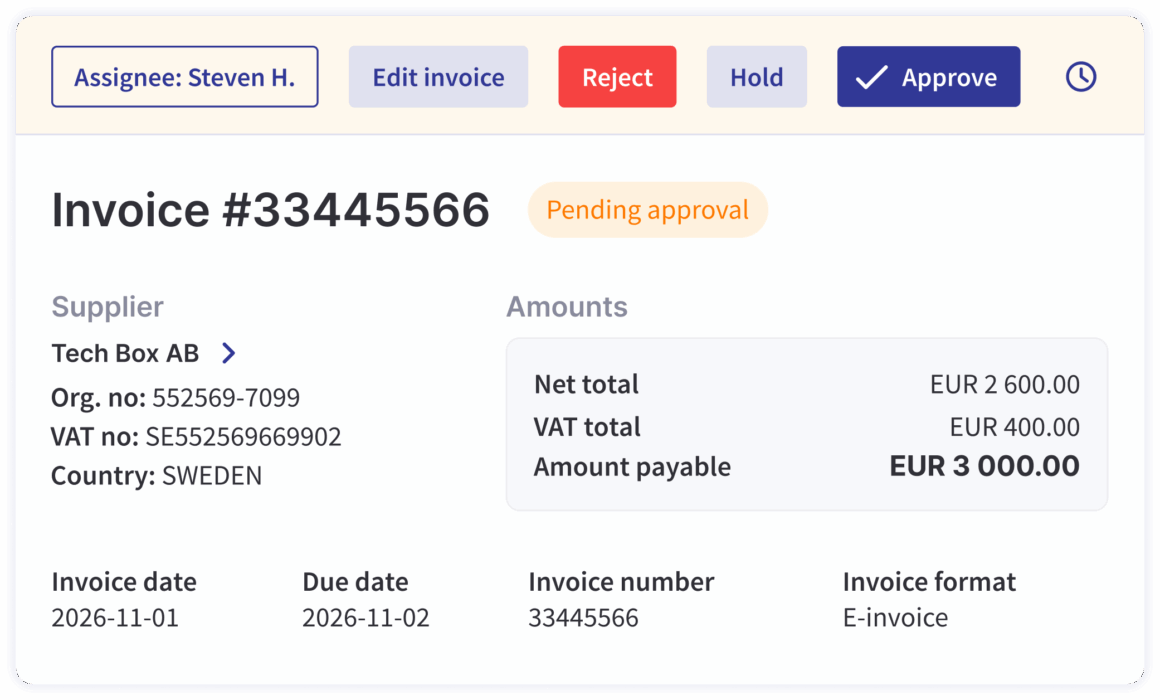
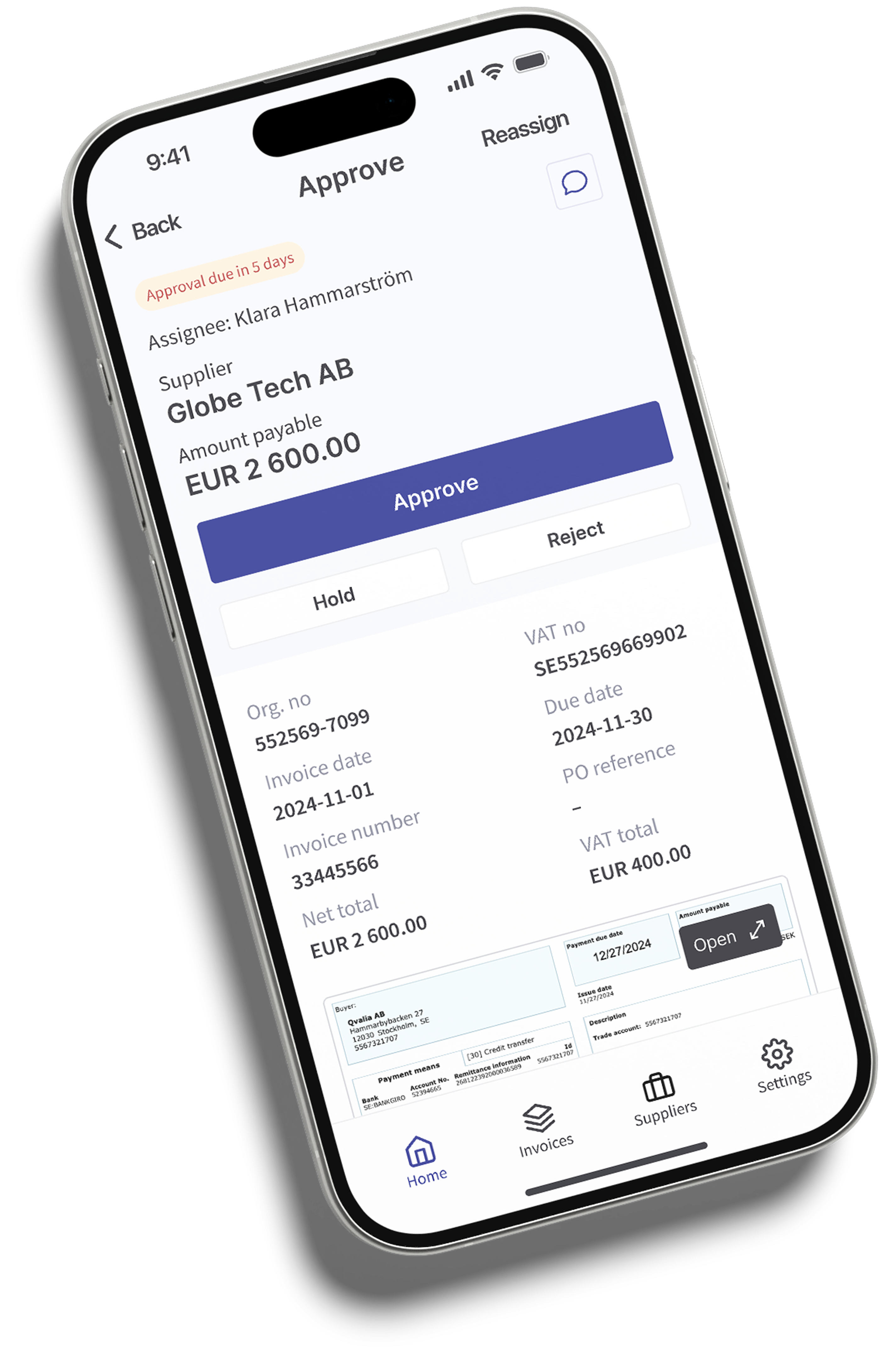
Qvalia Workflow is built for speed. Approvers receive instant push notifications the moment an invoice requires action. One tap to review, approve, sign, reassign, hold, or reject — in any browser, or directly from the Qvalia mobile app on iPhone or Android.
No email reminders. No paper trails. No bottlenecks waiting for someone to get back to their desk.
The full approval timeline — including comments, actions, and document history — is available on every device, at all times.
Peppol, PDF, and EDI — consolidated and structured from day one
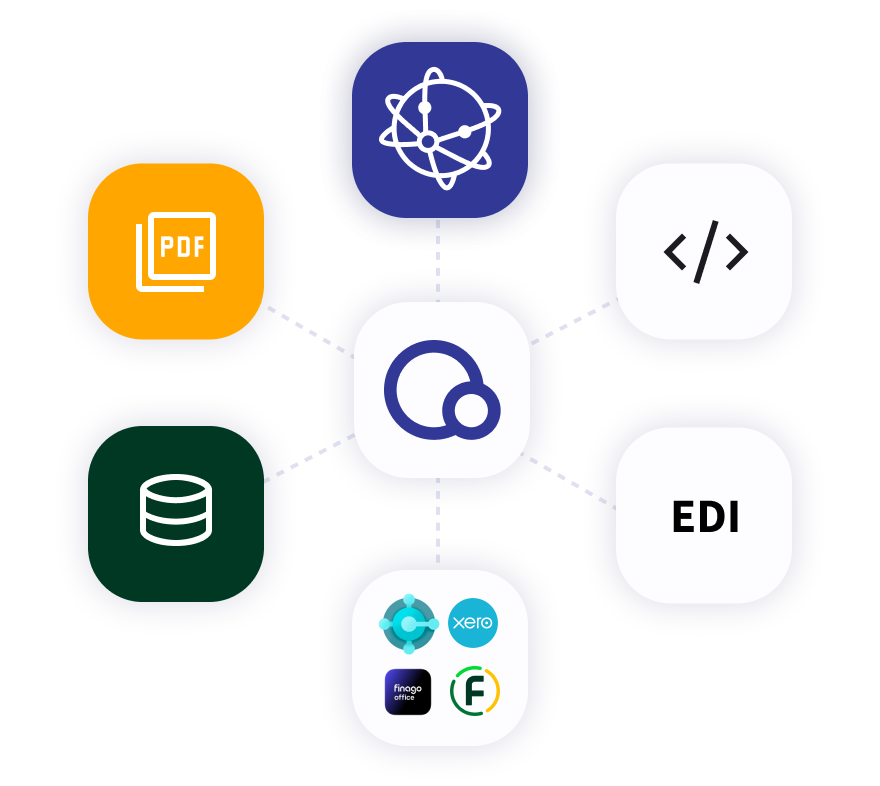
Qvalia Workflow receives and processes supplier invoices regardless of format. Peppol e-invoices, PDF invoices, and EDI messages are validated, structured at line-item level, and routed through the same approval hierarchy — automatically.
No manual sorting. No format exceptions. Every invoice arrives ready to act on, and every approved invoice is delivered to your ERP via API.
Your organisation, your rules
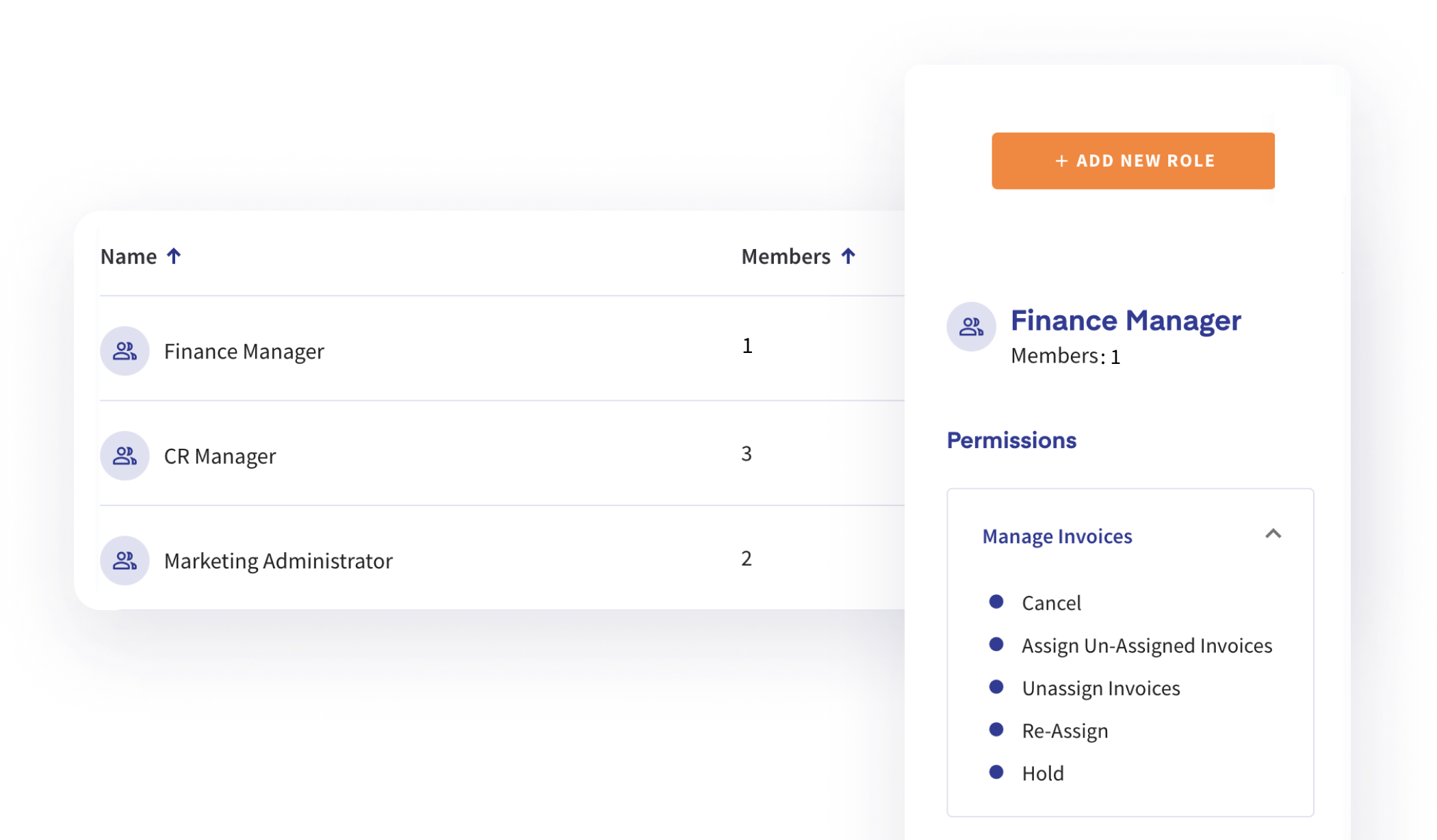
Define roles, responsibilities, and spend limits with a straightforward setup — and adjust them at any time. Approval hierarchies in Qvalia are fully customisable: multi-level, role-based, and built to fit organisations of any structure.
Approvers can add comments and dimension tags, reassign to colleagues, put invoices on hold, or escalate. Every action is logged in the invoice timeline, giving finance teams complete visibility and a clean audit trail.
Supported dimensions: Cost centre · Project · Contract · Custom dimensions
Features
Actions and controls
What approvers can do
- Approve
- Sign
- Reassign
- Hold
- Cancel
- Comment
Access and permissions
- Role management
- User management
- Spend limits
- Approval hierarchies
- Permission levels
Invoice data and formats
Information in every invoice
- Invoice timeline
- Original documents
- Supplier information
- Invoice dimensions
- Line-item tagging
- Comment threads
- Push notifications
Supported formats
- Peppol e-invoices
- PDF invoices
- EDI messages
Automation and infrastructure
Add-ons
- AI pre-posting
- AI line-item classification
Platform and compliance
- ERP integration via API
- Mobile app — iOS and Android
- ISO 27001 certified
- Peppol Access Point certified
Invoice approval in your pocket
The Qvalia app is available on iPhone and Android. Approvers stay on top of incoming invoices with push notifications, access original invoice documents, collaborate through comments, and take full workflow action — all within the same hierarchy already configured in Qvalia.
Faster approvals mean shorter payment cycles and stronger supplier relationships.
Available now on App Store and Google Play.


Scale without limits
Add as many approvers, reviewers, and administrators as your organisation needs. Qvalia Workflow has no per-user licence fees. Pricing is based on transaction volume — so your cost scales with your business, not your headcount.
Workflow is activated as a bolt-on service on transactions processed through Qvalia. No separate integration. No additional infrastructure.
Automate accounting at line-item precision
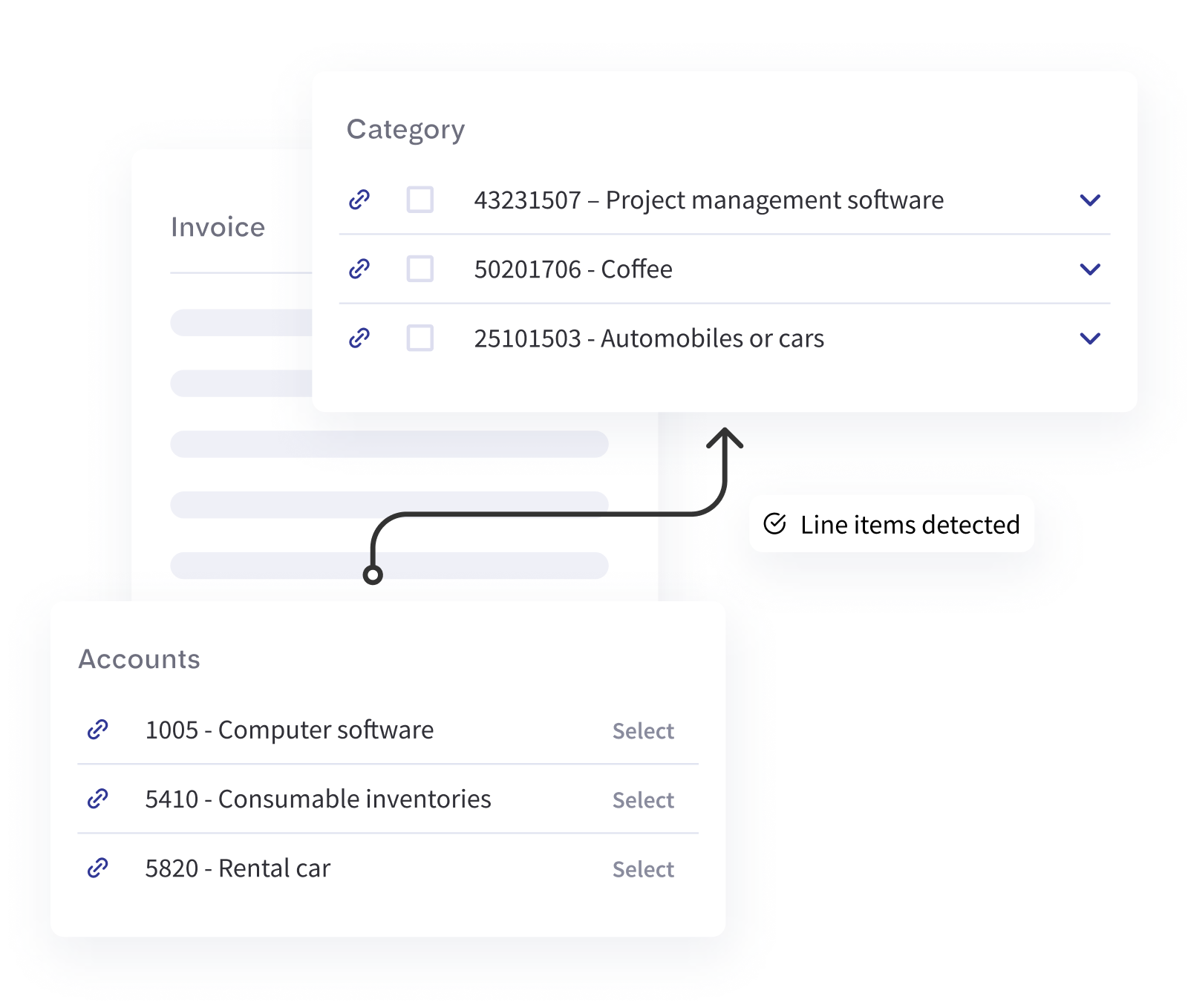
Enable Autoposting to take AP automation further. Each supplier invoice line item is automatically categorised using the UNSPSC standard — across 50,000 product and service categories — and mapped to your account plan before human approval.
The result: pre-posting happens automatically, accounting entries are ready on approval, and your team spends less time on manual processing.
Autoposting is available as an add-on for all invoices flowing through Qvalia.
Spend analytics and taxonomy classification
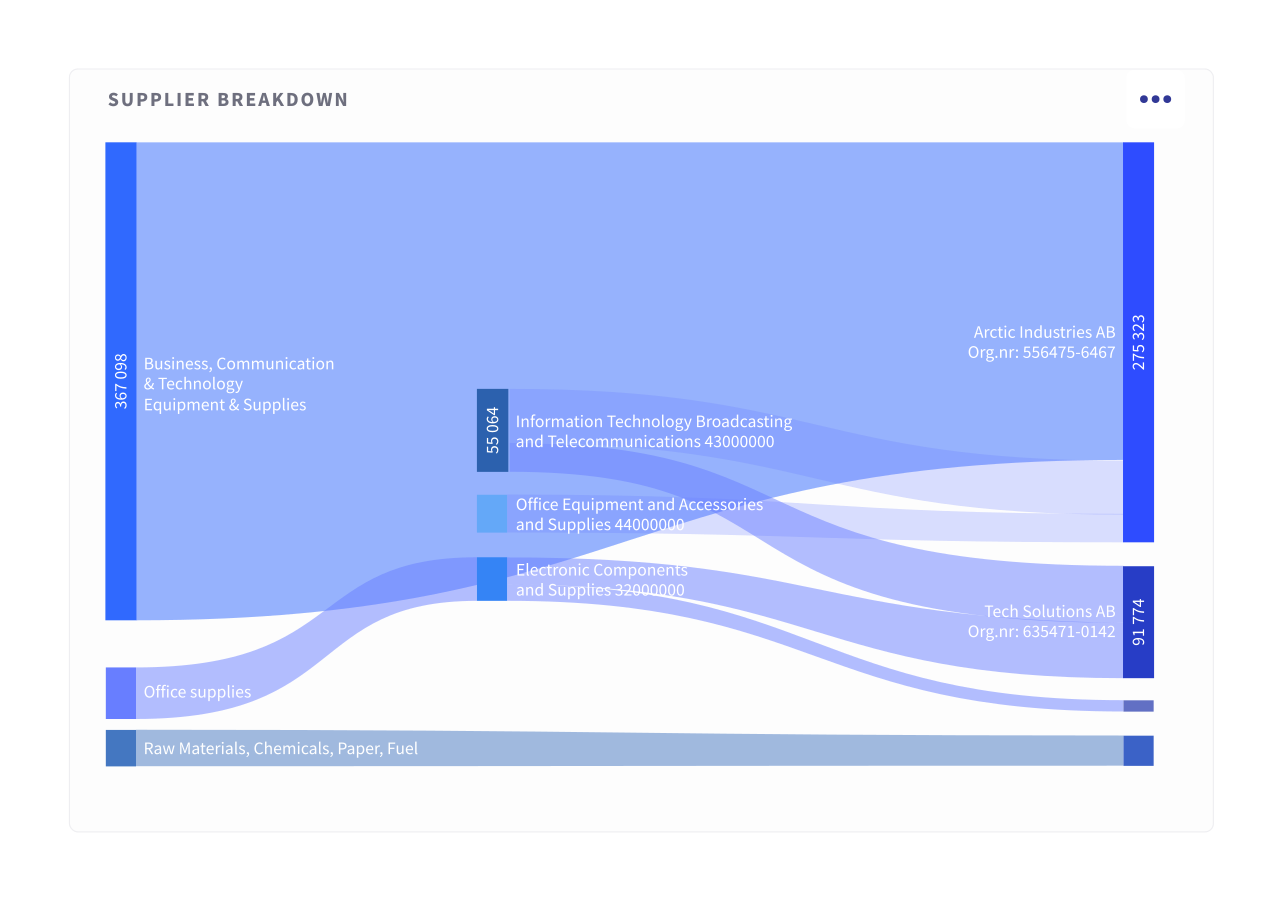
Activate UNSPSC classification to unlock granular spend analytics across all supplier invoices. Understand spend by category, supplier, cost centre, project, or contract — down to individual line items.
Built for finance teams and procurement professionals who need structured data, not summaries.
Move faster on invoice approvals. Get in touch.
Qvalia Workflow gives finance teams the speed, control, and automation they need to process supplier invoices without friction — from invoice reception to approval and post.


