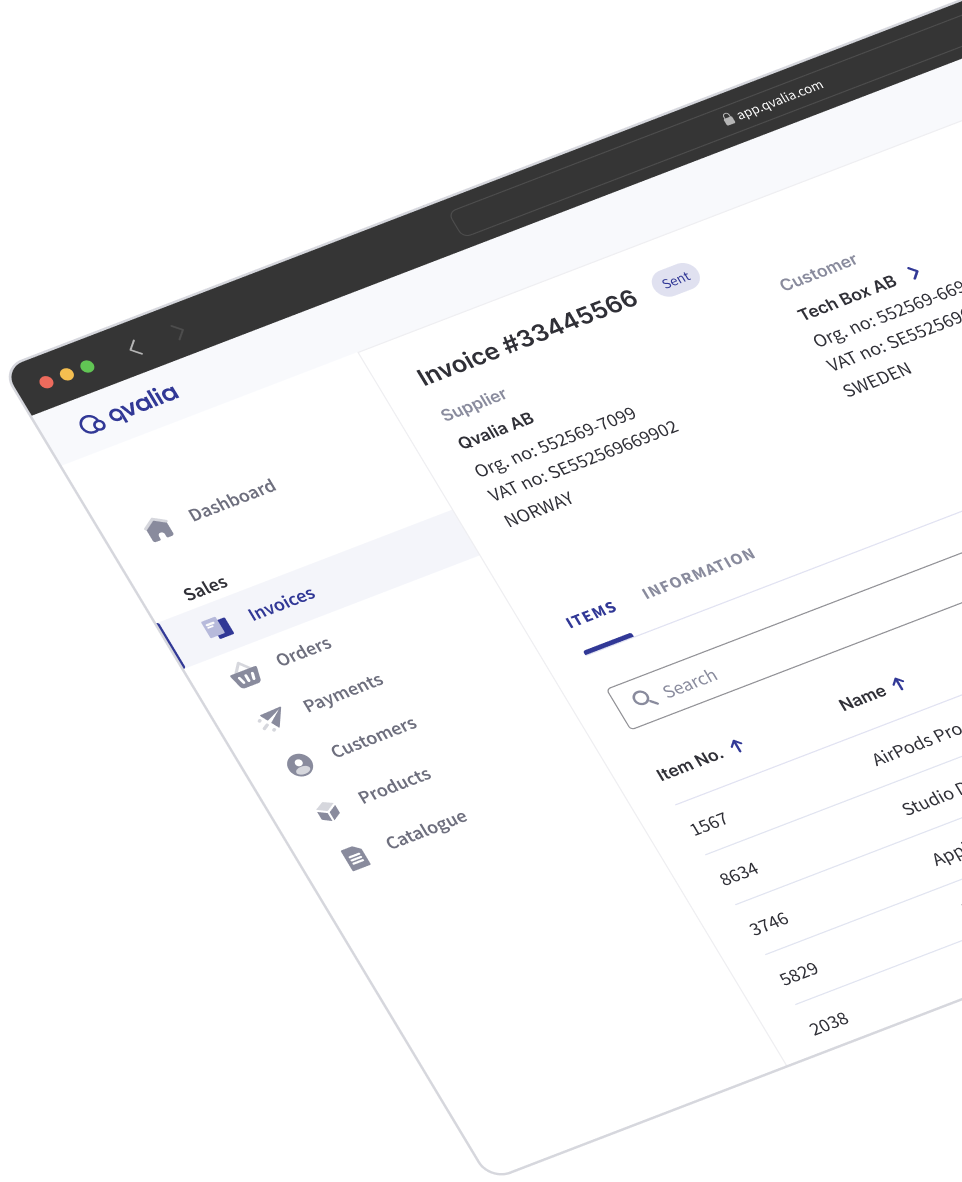
What changes in accounts payable
Supplier invoices often arrive through several channels and need manual checks, coding and reminders. Qvalia brings the work into one flow, so your team can focus on the exceptions instead of moving invoices forward by hand.
Receiving
Every supplier invoice in one inbox
Peppol e-invoices, EDI messages and PDF invoices arrive in the same place. PDF invoices are captured with header data and invoice lines.
Checking and coding
Deviations held, accounts suggested
Your invoice rules check each invoice and hold deviations in quarantine with the reason shown. Each line gets a suggested account based on your posting history.
Approval
Approval in the web app or on the phone
Approvers get a notification when an invoice is waiting. Every action is recorded on the invoice, so you can see who approved what and when.
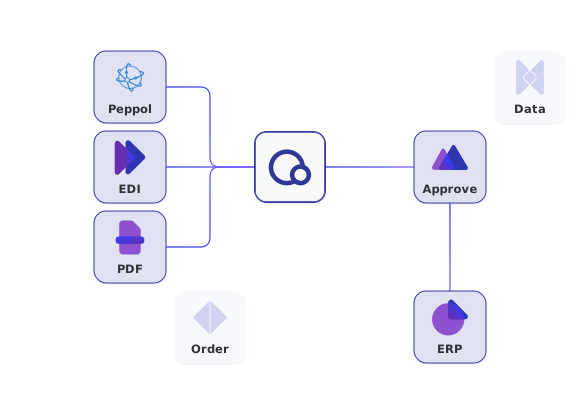
How a supplier invoice moves through Qvalia
- Receive. Peppol e-invoices, EDI messages and PDF invoices arrive in the same inbox. PDF invoices are captured with invoice OCR.
- Check. Invoice rules check each invoice. Invoices that do not meet them wait in quarantine with the reason shown.
- Code. Qvalia gives posting suggestions for each line, based on how your team has posted similar invoices.
- Approve. The approval workflow sends the invoice to the right approvers by role and amount.
- Post. Approved invoices go to your ERP through a connector app, the API or SFTP.
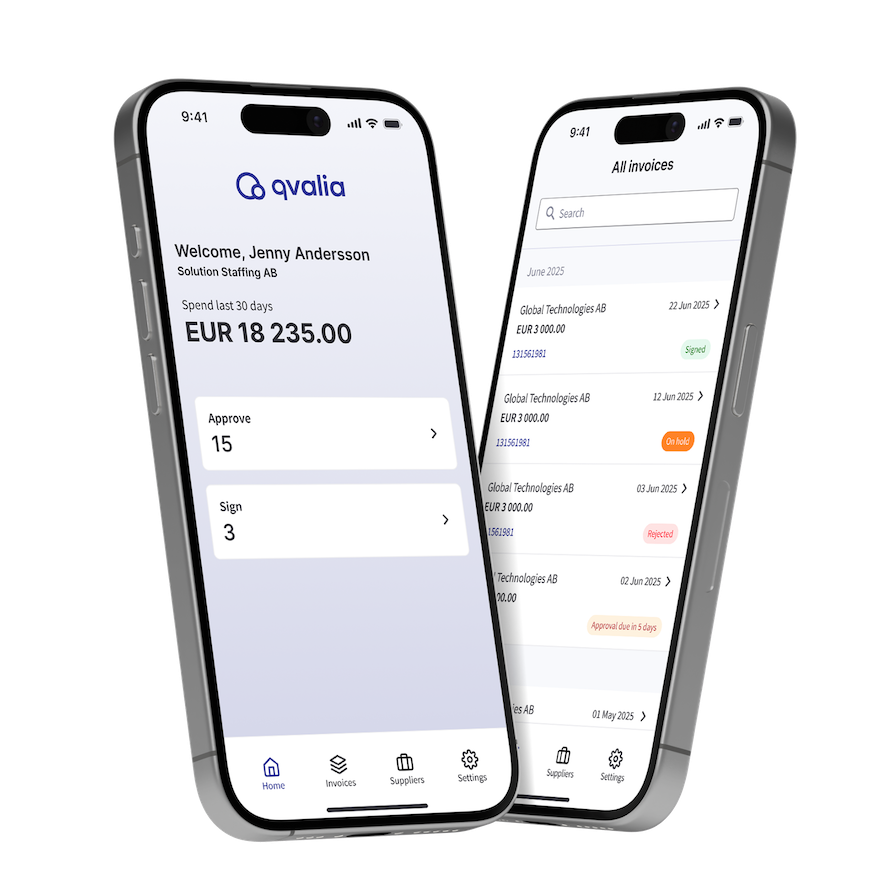
Approvers can approve from their phone
The Qvalia app for iPhone and Android has the same invoices, approval hierarchy and controls as the web app. Approvers get a push notification when an invoice is waiting for them.
- Approve, sign, reassign, hold or reject an invoice
- Comment and follow the full timeline of actions
- Open the original invoice and the supplier details
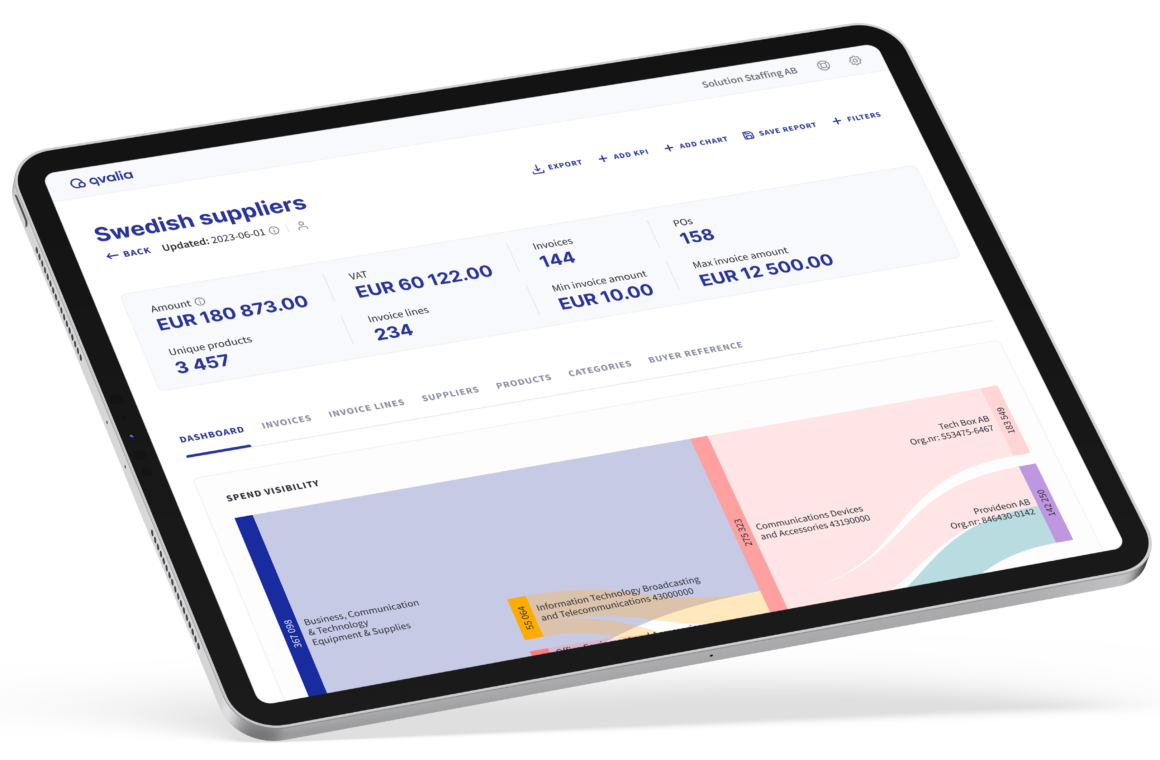
Follow spend down to the invoice line
Every invoice is structured at line level, so finance and procurement can follow spend in Qvalia without building their own reports.
- Spend by supplier, category and product
- Trends and price deviations over time
- Line-item data to your own BI tool through the API or CSV
Works with your ERP and your suppliers
Qvalia connects to the accounting system you already use. Your suppliers keep sending Peppol e-invoices, EDI or PDF invoices, and all of them end up in the same flow.
- Connector apps for Fortnox, Microsoft Dynamics 365 Business Central, Xero, Procountor and other systems
- REST API and SFTP for other ERP systems
- Peppol e-invoices received through Qvalia’s certified Peppol Access Point
- Supplier records filled in from company registers with master data
The same invoice for your team and your systems
Every supplier invoice becomes structured data in Qvalia. PDF invoices are also captured with header data and invoice lines. Your team sees the details and the invoice status in the web app, for example when an invoice rule has held an invoice.
Your ERP or platform can retrieve incoming invoices as JSON or UBL XML through the Invoicing API.
Getting started
Accounts payable automation with capture, approval and posting suggestions is part of the Enterprise offer. We set it up with you.
- We go through your invoice flows, approvers and ERP with you.
- We set up your invoice rules, approval hierarchy and ERP connection together.
- Your Peppol ID is registered, and supplier invoices start arriving in Qvalia.
If you only need to receive and review e-invoices, Connect Large includes that.
Accounts payable automation FAQ
Do our suppliers need to change how they invoice us?
No. Suppliers who send Peppol e-invoices reach you through your Peppol ID. Suppliers who send PDF invoices can keep doing so, and the PDF invoices are captured in Qvalia.
Does Qvalia post invoices automatically?
No. Qvalia suggests an account for each invoice line, and your team confirms it. Approved invoices are then transferred to your ERP.
What happens to an invoice that does not meet our rules?
It waits in quarantine with the reason shown. Your team corrects and releases it, or disputes it with the supplier.
Can approvers use their phones?
Yes. The Qvalia app for iPhone and Android has the same invoices and approval hierarchy as the web app.
Which ERP systems does Qvalia work with?
Connector apps cover systems such as Fortnox, Microsoft Dynamics 365 Business Central, Xero and Procountor. Other ERP systems connect through the REST API or SFTP.
Which plan includes accounts payable automation?
Capture, invoice rules, approval and posting suggestions are part of the Enterprise offer. Connect Large includes receiving and reviewing e-invoices for organizations that only need that.