Level
Invoice line
Not only invoice totals
Taxonomy
UNSPSC
The same codes across suppliers
Views
Purchases and sales
Both directions in one place
Output
Dashboards or API
Or export to CSV
Spend analysis starts at the invoice line
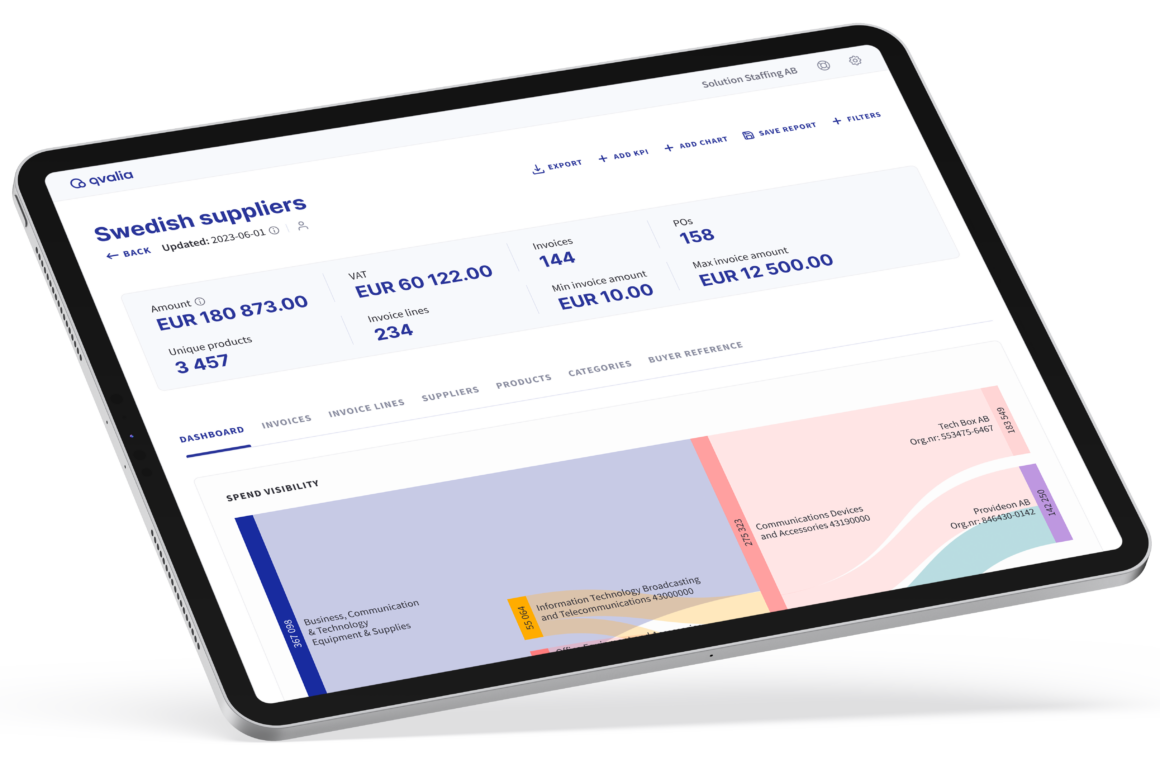
An invoice total shows what a supplier was paid. The invoice lines show what was bought. Qvalia classifies each line with UNSPSC, so the same product category can be compared across suppliers, units and periods.
Classification runs as invoices arrive, on e-invoices and on PDF invoices that capture has turned into structured data.
Line-item data in your own tools
Many organizations want the analysis in their own BI tool or data warehouse. Qvalia delivers the classified invoice lines as structured data, ready to load.
- Enrichment API
UNSPSC classification of invoice lines and products, returned with your own IDs - Packaged line-item data
Classified invoice lines prepared in the structure your reporting needs - CSV export
Reports exported from Qvalia for one-off analysis
What you can follow in Qvalia
The analysis views work on all invoices that pass through Qvalia, for purchases and for sales.
Spend by category, supplier and product
See where money goes, from UNSPSC category down to the individual invoice line, per supplier and per country.
Trends and key figures
Follow spend over time, with key figures for currencies, payment terms and invoice types.
Price deviations
Compare the prices suppliers charge for the same products over time and spot deviations per supplier. Use the comparison as input for supplier negotiations and sourcing decisions.
Saved reports and export
Save the report setups your team uses and export the underlying data to CSV.


Spend analytics FAQ
What is spend analytics?
The analysis of what an organization buys, from whom and at what price. In Qvalia it is based on classified invoice lines rather than invoice totals.
Why analyze invoice lines instead of invoice totals?
One invoice often covers several products and categories. Line-level classification shows what was bought, so the same category can be compared across suppliers.
Which classification does Qvalia use?
UNSPSC, the United Nations Standard Products and Services Code. Each invoice line gets a code, which makes spend comparable across suppliers and units. Read more about UNSPSC classification.
Can we get the data into our own BI tool?
Yes. Classified invoice lines are available through the API and can be prepared in the structure your reporting needs. Reports can also be exported to CSV.
Does the analysis include earlier invoices?
It covers invoices that pass through Qvalia. Earlier invoices can be imported so the analysis also covers previous periods.
Does spend analytics include PDF invoices?
Yes. PDF invoices that are captured as structured data with their invoice lines are classified in the same way as e-invoices.
Does the analysis cover sales as well as purchases?
Yes. The analysis views work on all invoices that pass through Qvalia, for purchases and for sales.
How do procurement teams use spend analytics?
To compare prices between suppliers, find suppliers that sell the same things within a category and follow spend over time. Read about procurement analytics
Which plans include spend analytics?
Spend analytics is part of the Enterprise offer. Contact us to go through your data and reporting needs.


