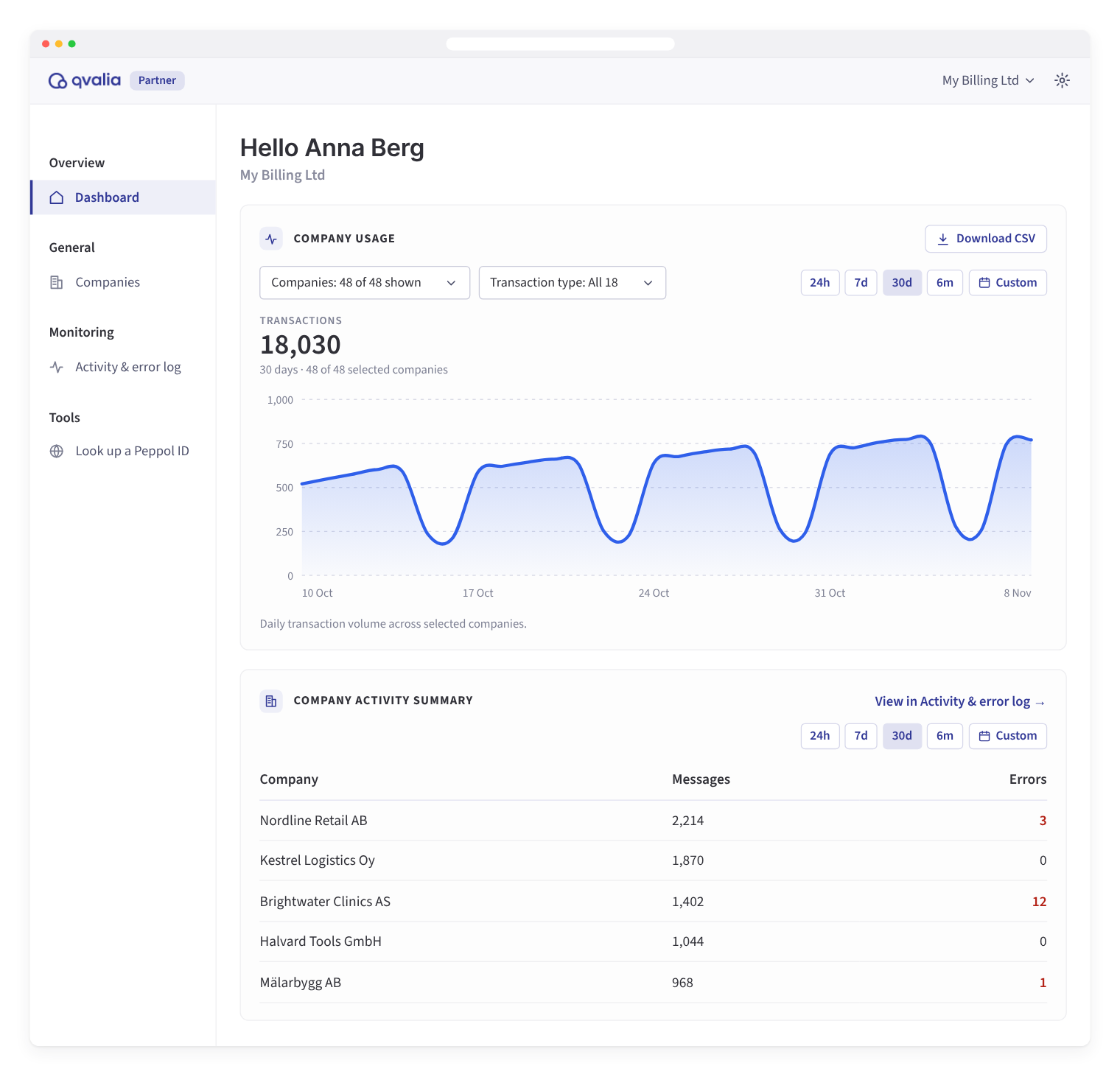
Qvalia’s new partner dashboard gives partners one place to manage customer accounts, track transaction volume, and follow delivery status and errors across all their accounts. It is available now for all Qvalia partners, and for enterprise groups that manage several subsidiaries in Qvalia.
In a multi-tenant setup, each customer or subsidiary has its own Qvalia account, with its own Peppol IDs, users, settings, and transaction logs. The dashboard brings these accounts together and covers the channels they use: Peppol first, along with EDI, PDF capture, email, print, Svefaktura, and delivery to Kivra in Sweden.
What the partner dashboard covers
| Area | What you can do |
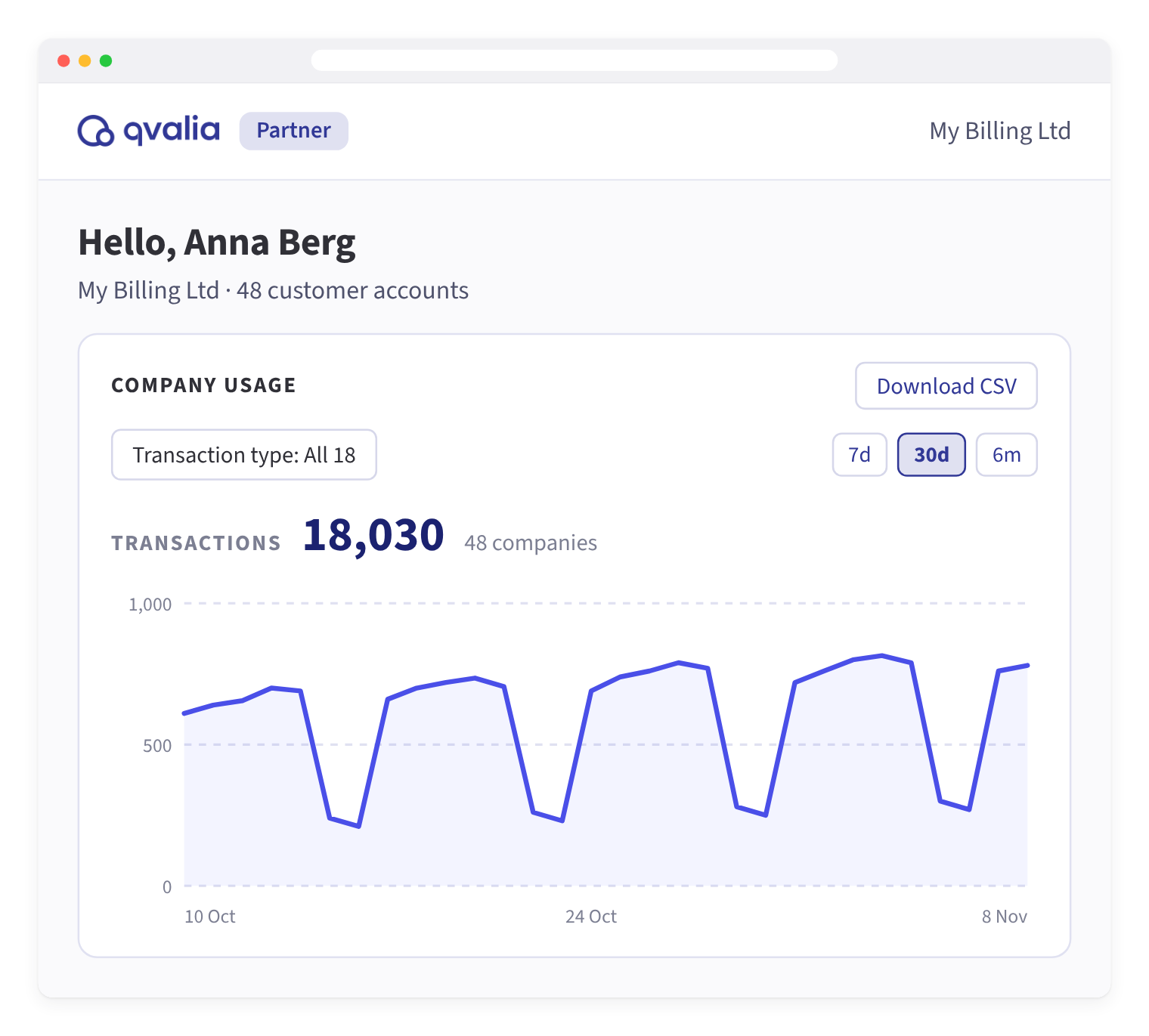
| Usage | Track daily transactions for all or selected customer accounts, by transaction type and period, and export the data to CSV |
| Activity summary | Review messages and errors per customer account for the period you choose |
| Activity & error log | Monitor delivery status, recipient responses, and document events across all accounts, filtered by account, direction, document type, and status |
| Customer accounts | Create accounts and manage users, Peppol IDs, API keys, event delivery, and bank accounts (enabled on request) for each one |
| Peppol lookup | Check whether a Peppol ID is registered and which document types it accepts |
Track delivery and resolve customer queries
When a customer asks about an invoice, your team can find the document and check its delivery status in the dashboard. The activity summary shows which customer accounts had errors in the period, and the Activity & error log gives document-level detail across all accounts. Filter by account, direction, document type, or status, or search for a document ID.
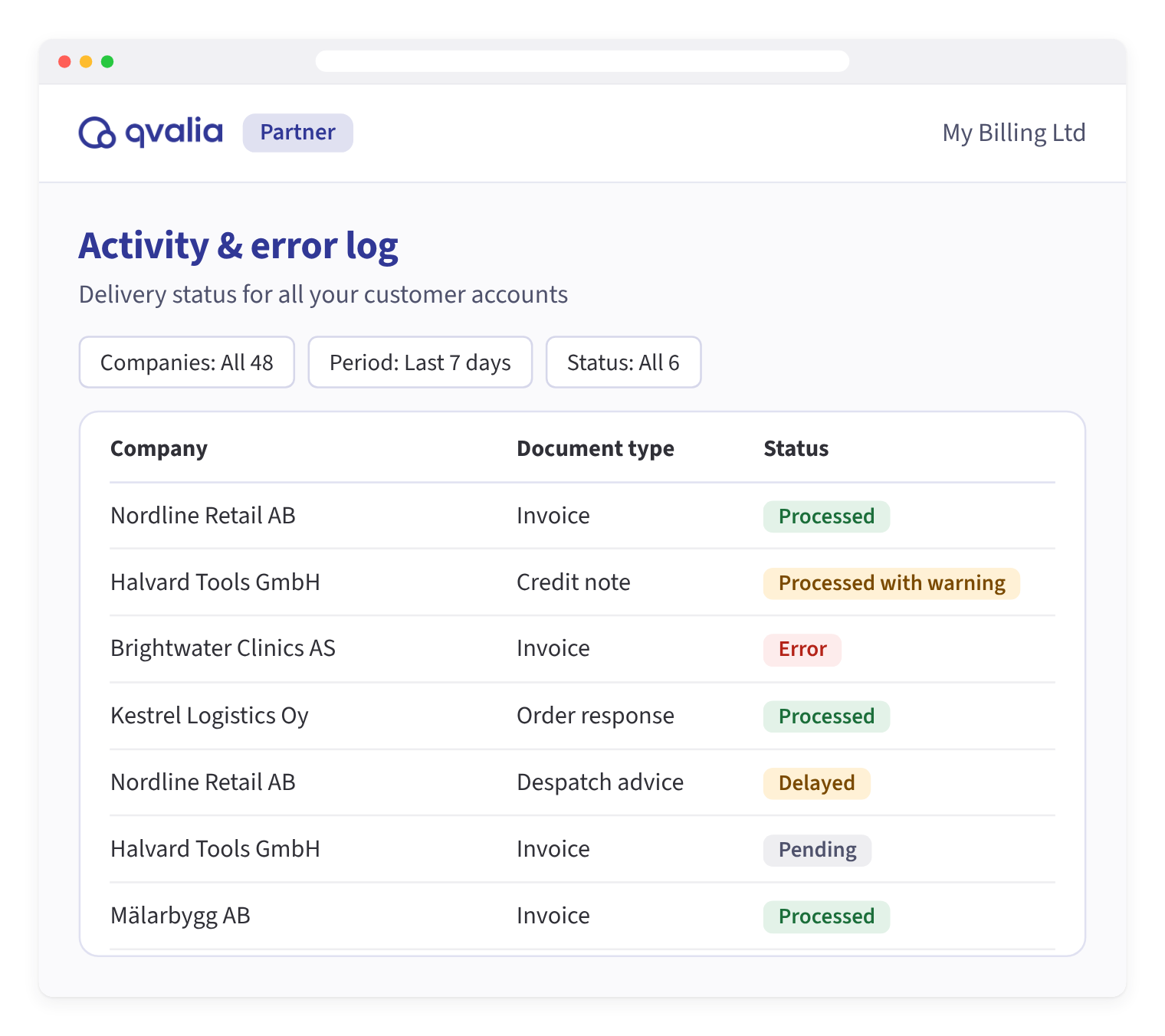
The log covers invoices, credit notes, orders, despatch advice, catalogs, and the other business documents your customers exchange.
Use the dashboard alongside the Partner API
The partner dashboard and the Partner API work on the same customer accounts. Use the API to automate account creation from your platform, and the dashboard to manage account settings, monitor activity, and handle support queries.
Each customer account has its own API key, which you generate and rotate in the dashboard. You can also set up event delivery to send document and delivery events to your own endpoint. See How to set up event delivery (webhooks) for a customer account.
Get started with the partner dashboard
Sign in to Qvalia and choose your partner account to open the dashboard. The knowledge base has step-by-step guides:
Looking to offer e-invoicing in your own platform? See how Qvalia works with partners.
Frequently asked questions
Which transactions does the partner dashboard show?
The transaction types your customer accounts use. Peppol sits alongside EDI, PDF capture, email, print, and delivery to Minameddelanden and Kivra. Filter by transaction type to follow one channel.
Do we need the Partner API to use the partner dashboard?
No. The dashboard and the Partner API work on the same customer accounts. Use the API to automate onboarding and the dashboard for follow-up and support.
Can we see errors for all customer accounts in one place?
Yes. The activity summary shows messages and errors per customer account, and the Activity & error log lists delivery status for documents across all accounts.
Who can use the partner dashboard?
All Qvalia partners. Enterprise groups that manage several subsidiaries, each with its own Qvalia account, can use it in the same way.
Related articles
Qvalia is accredited by the UAE Ministry of Finance as an e-invoicing Accredited Service Provider. Partners can offer UAE e-invoicing through Embedded Peppol or a Hosted Access Point.
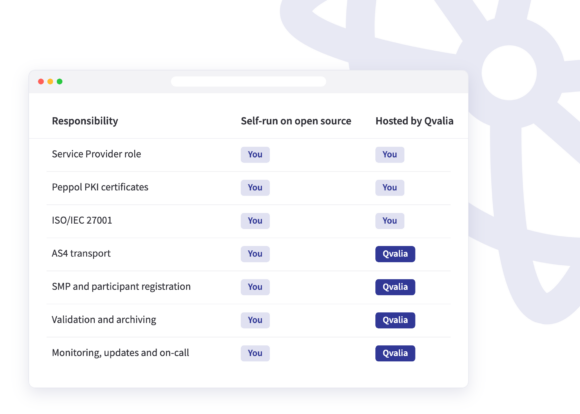
How to set up your own Peppol Access Point: run it yourself on open-source software such as Oxalis or phase4, or outsource operations to a Hosted Access Point. What each route covers, the 2027 network requirements and national accreditation.
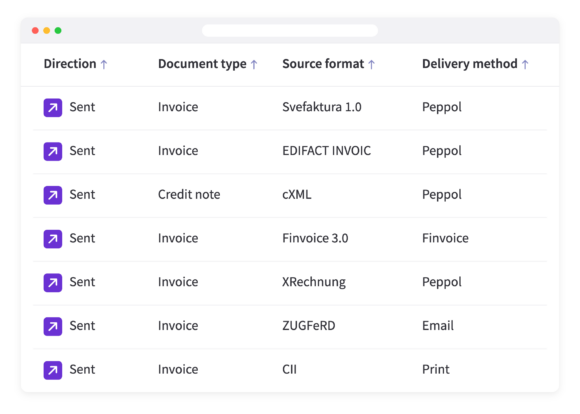
Qvalia’s Transaction API now accepts Svefaktura 1.0, EDIFACT, cXML, Finvoice, XRechnung, CII and ZUGFeRD, converts them to Peppol BIS Billing 3.0 and delivers them.