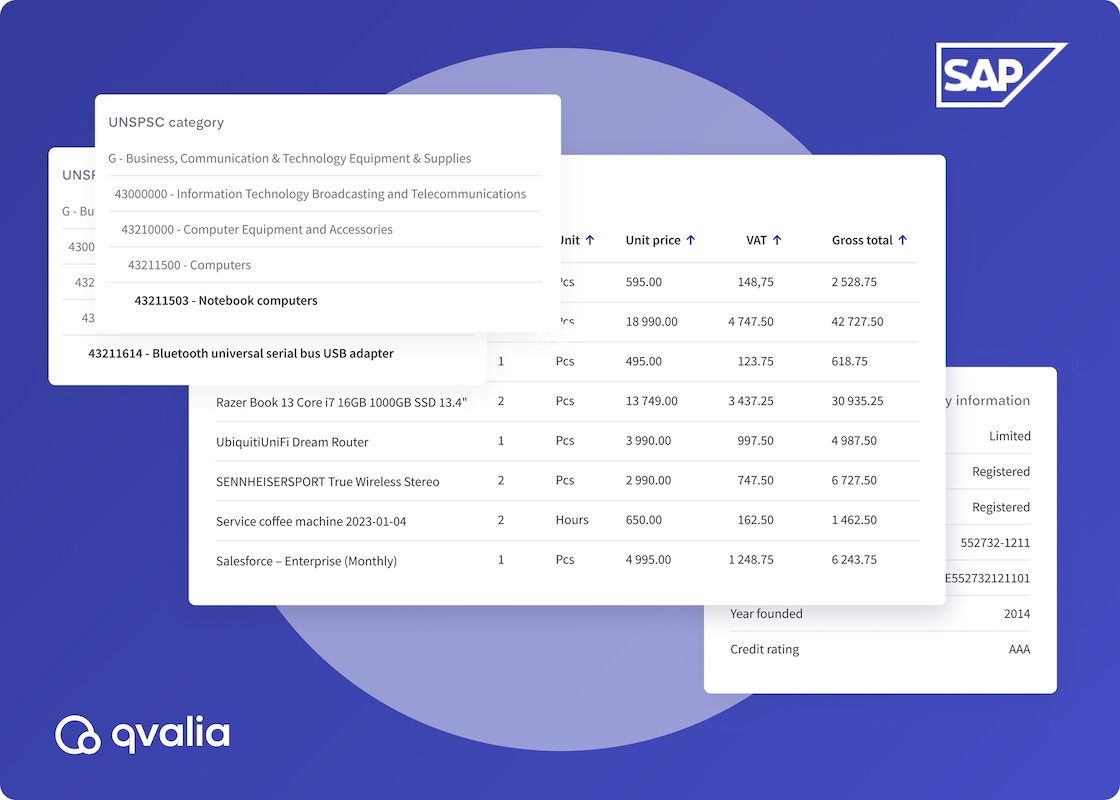
If you’re preparing for an SAP S/4HANA migration or rolling out e-invoicing, you’ve likely encountered UNSPSC — the classification system SAP recommends for products and services. This guide explains what UNSPSC is, where it’s used across SAP systems, and how to implement it without manual data entry.
Why UNSPSC matters now
Two forces are converging on SAP customers in 2025–2027:
SAP ends mainstream support for ECC in December 2027. Migration projects typically take 12–24 months, which means companies starting now are auditing their master data — and discovering empty classification fields.
E-invoicing mandates are expanding across Europe. Germany (2025), Belgium (2026), France (2026), and others require structured invoices via Peppol or national platforms. Invoices with proper commodity classification enable better spend analysis on both ends.
Companies addressing both challenges simultaneously have an opportunity to fix their classification data once and benefit twice.
What is UNSPSC?
The United Nations Standard Products and Services Code (UNSPSC) is a hierarchical taxonomy for classifying goods and services. It provides a common language across systems, suppliers, and geographies.
The structure uses 8 digits organized in four standard levels:
- Segment (2 digits): broad category
- Family (4 digits): subcategory
- Class (6 digits): product group
- Commodity (8 digits): specific item
Example: 44121706 breaks down as:
- 44 = Office equipment, accessories, and supplies
- 4412 = Office supplies
- 441217 = Writing instruments
- 44121706 = Wooden pencils
SAP systems interpret trailing zeros as wildcards. If you don’t need line-item specificity, a 6-digit code (e.g., 441217) covers the entire class.
Where UNSPSC appears in SAP
SAP Material Master (ECC and S/4HANA)
The Material Master includes a classification view for assigning UNSPSC codes. SAP uses Class Type 001 for material classification. The typical implementation involves:
- Creating UNSPSC characteristics via transaction CT04
- Creating a classification class (CL01) with those characteristics
- Assigning the class to materials in the Classification view (MM02)
The challenge: many ECC implementations left this field empty for years. Migration to S/4HANA surfaces these gaps during data validation.
SAP Ariba
SAP Ariba uses UNSPSC as its default commodity code domain. The system parameter Application.ClassificationCodes.SystemCommodityCodeDomainName is set to “unspsc” by default.
UNSPSC codes in Ariba enable:
- Spend analysis and reporting
- Supplier discovery and matching
- Approval workflows based on commodity type
- Catalog search and filtering
Suppliers uploading catalogs to the Ariba Network are expected to include UNSPSC codes. Buyers using SAP Ariba Category Management can upload custom UNSPSC lists or use the standard v9.05 list included by default.
SAP Business Network
The SAP Business Network validates UNSPSC codes on catalog items. For suppliers, proper classification improves visibility in buyer searches and supports automated matching in sourcing events.
Implementing UNSPSC during S/4HANA migration
Migration projects follow a typical pattern:
- Audit existing master data for classification completeness
- Cleanse and deduplicate item descriptions
- Map items to UNSPSC codes
- Validate mappings
- Load enriched data into S/4HANA
The practical challenge is step 3. Manually classifying thousands of materials is time-consuming and error-prone. Many organizations use external classification services or AI-based tools to accelerate this step.
If your organization uses a different classification system (eClass, proprietary material groups), SAP supports commodity code mappings to translate between domains. These mappings are defined in the Site Enablement Workbook and imported via Ariba Administrator.
UNSPSC and e-invoicing
Peppol BIS Billing 3.0 supports commodity classification at the invoice line level. The element cac:CommodityClassification accepts UNSPSC codes using the identifier TST in the UNCL7143 code list.
This means invoices sent via Peppol can carry structured product classification data — enabling automated spend categorization on the buyer side without manual intervention.
For companies implementing both S/4HANA and e-invoicing compliance, getting UNSPSC right in the ERP flows through to outbound invoices automatically.
How to automate UNSPSC classification for SAP
Classification at scale requires automation. Whether you’re preparing master data for S/4HANA or processing incoming invoices, manually reviewing each item against the UNSPSC taxonomy isn’t practical.
Generative AI trained on millions of B2B transactions can map item descriptions to accurate codes instantly — using supplier context, historical patterns, and line-item detail to classify in real time without human review. Qvalia offers two approaches to UNSPSC classification:
Automatic classification via e-invoicing
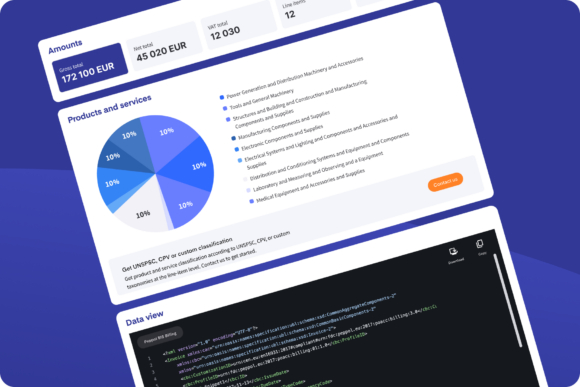
When Qvalia serves as your e-invoicing provider, incoming invoices are processed using intelligent document processing to extract and structure line-item data. This includes automatic commodity classification based on item descriptions, supplier context, and historical patterns.
The result: invoices arrive in your system with UNSPSC codes already populated — regardless of whether the supplier included them.
Enrichment API
For organizations that need classification as part of a broader data pipeline, Qvalia’s enrichment API accepts item data and returns UNSPSC codes programmatically. This supports:
- Migration projects: classify legacy material master data before S/4HANA cutover
- Catalog enrichment: add classification to supplier catalogs before upload to Ariba
- Invoice processing: enrich incoming invoices in your existing workflow
The API uses the same classification intelligence as the e-invoicing platform, trained on millions of B2B transactions.
Getting started
If you’re evaluating UNSPSC implementation as part of an S/4HANA migration or e-invoicing project, consider:
- How complete is your current material classification?
- Do you need to map from an existing classification system to UNSPSC?
- Where in your process does classification add the most value — master data, catalogs, or invoices?
If you want to learn more or get started quickly, don’t hesitate to contact us.
Related articles
Artificial intelligence is reshaping business operations and finance is no exception. Our latest whitepaper provides an overview of AI in finance and accounting, explores practical use cases, and outlines how to get started with implementation.
The adoption of e-invoicing and e-procurement is accelerating across public administration in Europe. A recent Swedish study offers insights among municipalities and central government agencies.
We’re introducing PDF invoice capture — a powerful PDF-to-XML tool to digitize, transform, analyze, and enriche PDF invoices. The tool is a lightweight free version of our AI document processing solution.