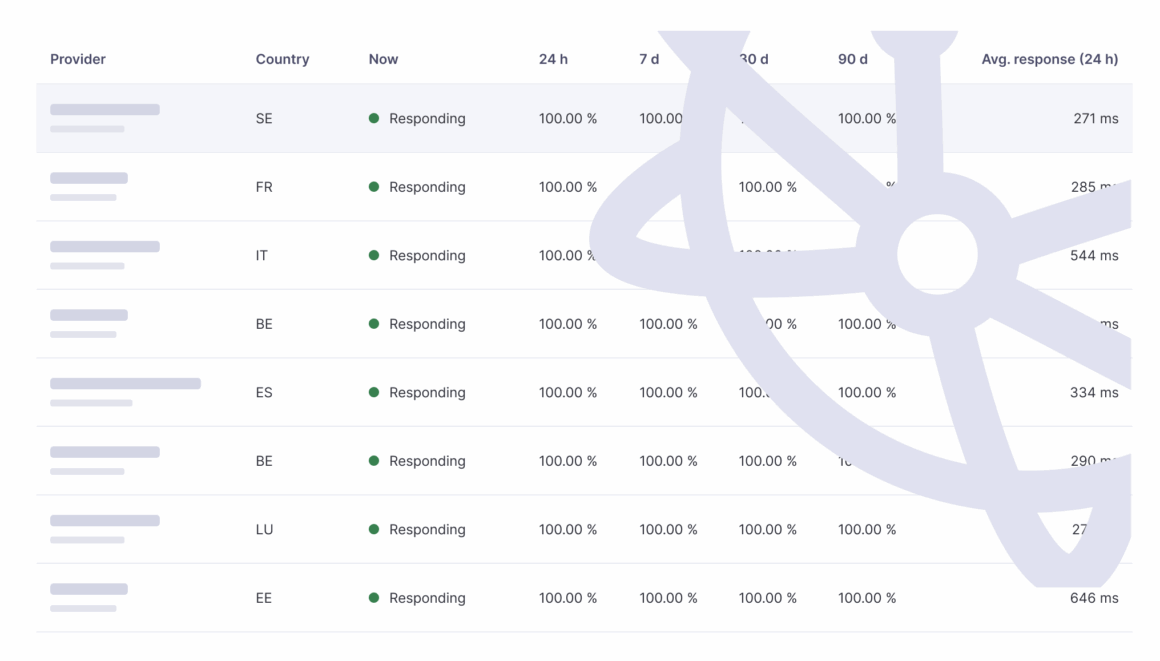
تحقق من نقطة الوصول الخاصة بالمستلم عبر أداة مراقبة حالة نقاط الوصول الخاصة بـ Peppol. تُظهر هذه الأداة ما إذا كانت نقطة النهاية AS4 لكل نقطة وصول تستجيب في الوقت الحالي، بالإضافة إلى مدة التشغيل المسجلة لها خلال الـ 24 ساعة الماضية، والـ 7 أيام، والـ 30 يومًا، والـ 90 يومًا.
- تعرف على مزود خدمة Peppol الذي يستخدمه المستلم. إذا لم تكن تعرف، فاستفسر من المستلم أو من مزود الخدمة الخاص بك.
- ابحث عن المزود في الشاشة وتحقق من عمود «الآن».
- لا يستجيب: لم ترد نقطة الوصول الخاصة بالمستلم على آخر محاولة فحص قمنا بها. يرجى الانتظار والمحاولة مرة أخرى، أو الاتصال بالمستلم حتى يتمكن من إثارة هذه المسألة مع مزود الخدمة الخاص به.
- الرد: يمكن الوصول إلى نقطة الوصول، لذا فمن المحتمل أن يكون السبب شيئًا آخر. الأسباب الأكثر شيوعًا هي وجود خطأ في عنوان البريد الإلكتروني ( Peppol ID)، أو أن المستلم غير مسجل لنوع المستند هذا، أو وجود خطأ في التحقق من الصحة. انظر الأخطاء الشائعة في فواتير Peppol وكيفية إصلاحها.
يقوم جهاز المراقبة بفحص كل نقطة طرفية كل خمس دقائق من أمريكا الشمالية. ويُظهر الجهاز ما إذا كان بالإمكان الوصول إلى نقطة الطرفية أم لا، وليس ما إذا تم قبول رسالة معينة أو تسليمها.