Partnership
Stripe
Qvalia is a Stripe technology partner
Payment options
Invoice or card
Chosen by the customer at checkout
Invoice delivery
Peppol, PDF or print
Print as an option
E-commerce
WooCommerce plugin
Or the widget on other platforms
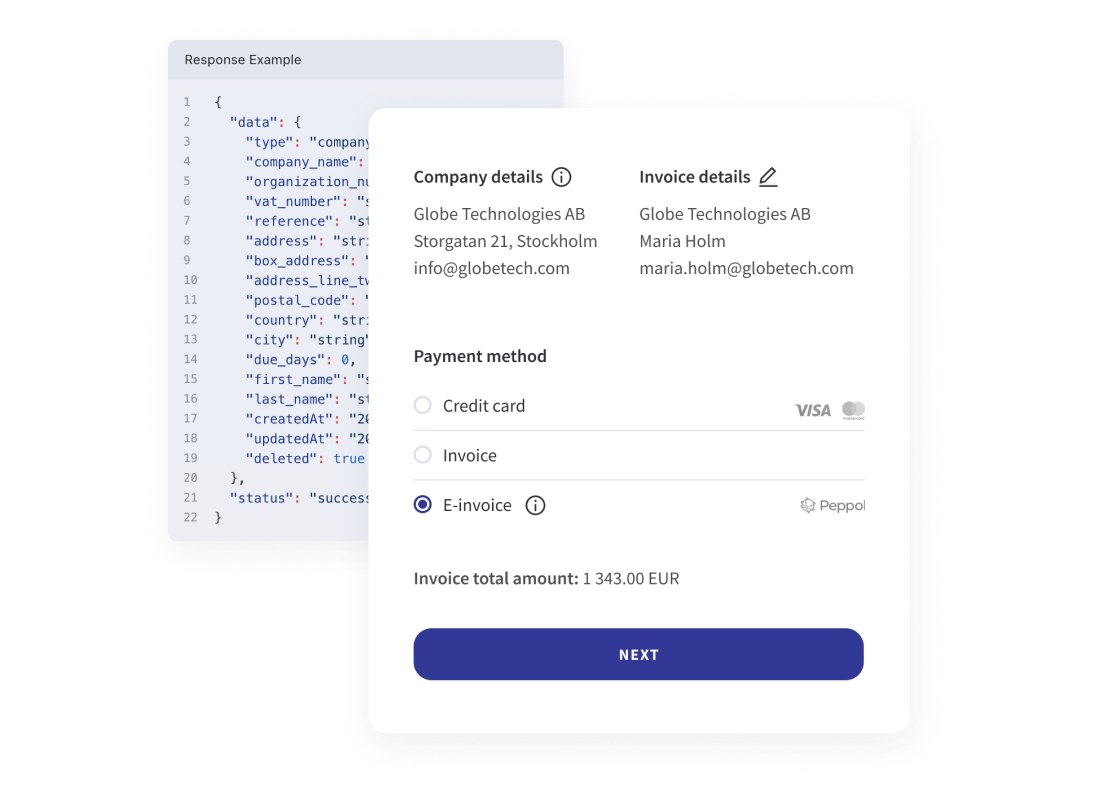
How B2B checkout with card payment works
Business customers pay the way their company requires, without leaving your checkout.
- Identify the company. The customer looks up the company by name or registration number, and the details are filled in.
- Choose how to pay. The customer picks an invoice or a card payment.
- Invoice. Qvalia creates the invoice and delivers it as a Peppol e-invoice, a PDF by email or, as an option, on paper.
- Card. Stripe processes the card payment in the same checkout.
What Qvalia and Stripe handle
B2B checkout combines invoicing from Qvalia with card processing from Stripe.
- Qvalia
The checkout widget, company lookup, invoice creation and delivery over Peppol, email or print. - Stripe
Processing of card payments. - Your store
Products, prices, order handling and which payment options to offer.
Get started
Read more about the checkout or install it on your WooCommerce store.
Feature
B2B checkout
The checkout widget for online stores that sell to businesses.
Guide
WooCommerce plugin
Install B2B checkout on a WooCommerce website, step by step.
Feature
E-invoicing
How Qvalia sends and receives invoices over Peppol.
Frequently asked questions
Is Qvalia a Stripe partner?
Yes. Qvalia is a Stripe technology partner, and card payments in B2B checkout are processed by Stripe.
Do business customers have to pay by card?
No. The customer chooses at checkout between an invoice and a card payment. You decide which options your store offers.
How is the invoice delivered?
As a Peppol e-invoice, as a PDF by email or, as an option, on paper by post.
Which e-commerce platforms are supported?
There is a plugin for WooCommerce. On other platforms, the checkout widget can be added to most e-commerce websites. Contact us to check your platform.